Над 4 милиона заглавия на английски и други езици! Открийте новата си история още днес! Безплатна доставка за поръчки над 69.99€

Станете част от общност от любители на книгите от цял свят и получавате много предимства.
Създай на безплатен акаунт
Безплатна доставка със Еконт над 69.99 €
Куриер Speedy 3.49 €
Пункт на Speedy 3.49 €
ЕКОНТ 3.99 €
Еконтомат/Офис на Еконт 3.99 €
Ekont Box 3.99 €
Sameday 3.99 €
Sameday box 3.99 €
Box Now 3.99 €
 Контакт
 Как се пазарува?
Помощ
Доставка
Куриер Speedy 3.49 €
Пункт на Speedy 3.49 €
ЕКОНТ 3.99 €
Еконтомат/Офис на Еконт 3.99 €
Ekont Box 3.99 €
Sameday 3.99 €
Sameday box 3.99 €
Box Now 3.99 €
Безплатна доставка със Еконт над 69.99 €
Наръчник за пазаруване
Моят акаунт
▸
Празна :-(
0
Над 4 милиона заглавия на английски и други езици! Открийте новата си история още днес! Безплатна доставка за поръчки над 69.99€
Blender 5.2 LTS User Guide
A Step-by-Step Beginner's Guidebook to 3D Modeling, Sculpting, Animation, Geometry Nodes, Rendering, and New Features
Език
 Английски език
Английски език
Книга
С меки корици
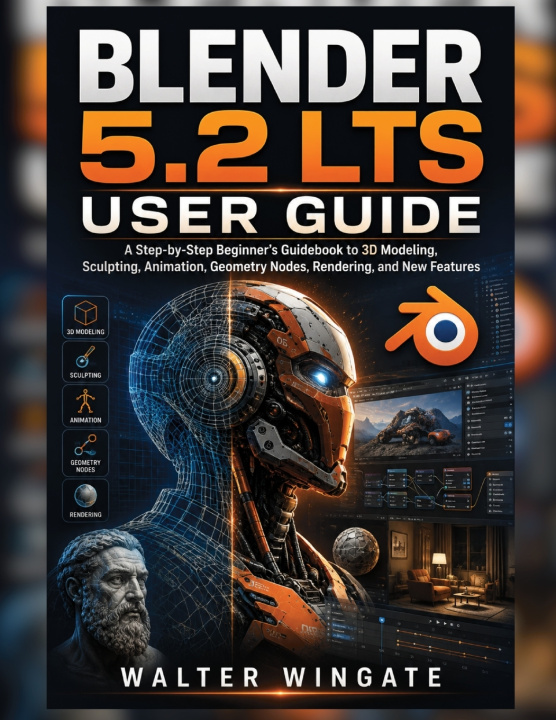
Master Blender 5.2 LTS and bring your 3D ideas to life with confidence.Blender 5.2 LTS USER GUIDE is...
Цялото описание
Код Либристо: 53782524
?
 45 b
45 b
 Нови
Нови
45 b
Нови
18.41
€
36.00
лв
Външен склад
Изпращаме след 14-21 дни
До 30 дни за връщане на стоки

Master Blender 5.2 LTS and bring your 3D ideas to life with confidence.
Blender 5.2 LTS USER GUIDE is a practical, beginner-friendly guide that takes you step by step through the essential tools and workflows of Blender 5.2 LTS. Whether you're completely new to Blender or want to sharpen your skills, this guide makes complex features easier to understand and use.
Inside, you'll learn how to:
- Navigate the Blender interface and 3D Viewport
- Create, edit, and organize 3D models
- Master UV mapping, texturing, sculpting, and painting
- Build procedural designs with Geometry Nodes
- Use Grease Pencil for creative projects
- Rig characters and create smooth animations
- Create realistic materials, lighting, and environments
- Render projects with Eevee and Cycles
- Work with Blender's Compositor and Sequencer
- Manage assets, project files, and common 3D formats
- Troubleshoot common Blender problems
With step-by-step instructions, practical examples, quick-reference cheat sheets, setup checklists, and troubleshooting guidance, you'll have a clear path from your first Blender project to more advanced 3D creations.
Click the 'BUY NOW' button and Start creating, experimenting, and mastering Blender 5.2 LTS today
Disclaimer
This book is an independent educational guide and is not affiliated with, sponsored by, authorized by, or endorsed by the Blender Foundation. Blender and all related trademarks belong to their respective owners.
Software features and interface elements may change with future updates. While every effort has been made to provide accurate and helpful information, the author and publisher are not responsible for errors, data loss, or damages resulting from the use of this guide.
Героиня
&
Полиглот
EWA KASP
за
Пусни видеото


В Libristo има най-богатия избор от чуждоезична литература. Затова купувам книгите си тук.
Информация за книгата
Пълно заглавие
Blender 5.2 LTS User Guide
Автор
Walter Wingate
Език
Английски език
Английски език
Корици
Книга - С меки корици
Дата на издаване
2026
Брой страници
134
Баркод
9798171495534
Код Либристо
53782524
Издателство
Independently published
Тегло
330
Размери
216 x 280 x 7

Подарете тази книга днес
Лесно е
1 Добавете книгата в количката си и изберете Доставка като подарък 2 В замяна ще ви изпратим ваучер 3 Книгата ще пристигне на адреса на получателя
Книжен съветник Libroamiko
Използвайки този чат, вие комуникирате с генеративен изкуствен интелект. Използвайки го, вие също се съгласявате с обработката на лични данни.
Здравейте! Аз съм Libroamiko, вашият книжен съветник.
Как мога да ви помогна?
Здравейте, аз съм Libroamiko, мога ли да помогна?