
 Контакт
 Как се пазарува?
Доставка
Наръчник за пазаруване
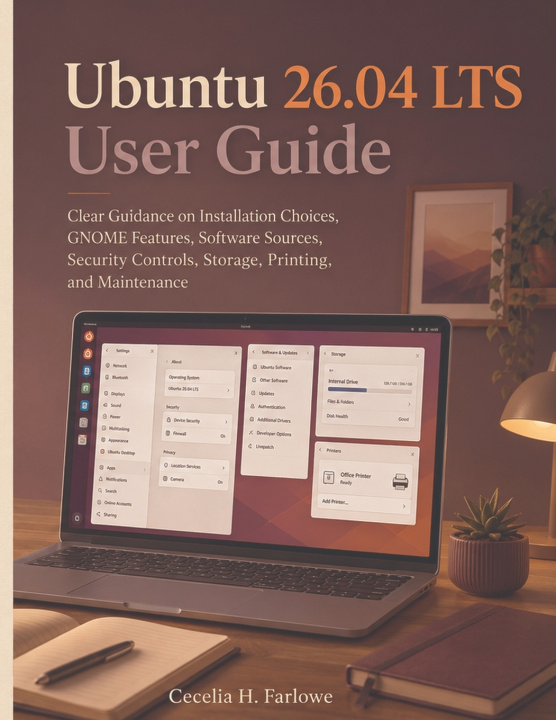
Ubuntu 26.04 LTS User Guide
Clear Guidance on Installation Choices, GNOME Features, Software Sources, Security Controls, Storage, Printing, and Maintenance
 Английски език
 49 b
49 b
 Нови
Нови
До 30 дни за връщане на стоки

Installing Ubuntu takes less time than learning which choices will make the computer pleasant to live with six months from now.
That is where Ubuntu 26.04 LTS User Guide earns its place.
Ubuntu's installer can get a new system running quickly, but everyday confidence comes from understanding the decisions behind the screens: which installation approach suits the computer, where applications should come from, how the GNOME desktop is organized, what security settings deserve attention, how storage should be handled, and what to do when an update, printer, driver, or device does not behave as expected.
Cecelia H. Farlowe approaches Ubuntu 26.04 LTS as a working desktop rather than a collection of Linux commands.
The journey begins before installation. Readers learn to think through hardware readiness, live-session testing, disk and boot choices, and the practical consequences of replacing an existing operating system or keeping more than one system available.
Once Ubuntu is running, the focus moves to the environment people actually use each day. GNOME 50 becomes easier to navigate when Activities, workspaces, Files, search, settings, accessibility options, notifications, displays, and application behavior are understood as parts of one desktop rather than unrelated menus.
Software receives the same practical treatment. Instead of treating every installation method as interchangeable, the guide helps readers understand application sources, package-management choices, repositories, and the different ways software can arrive on an Ubuntu machine.
Security is approached as daily good judgment rather than paranoia: sensible accounts, administrative privileges, permissions, updates, built-in controls, encryption and defensive settings all have a place when you understand what each one protects.
The handbook also addresses the ordinary jobs that determine whether an operating system feels dependable:
- planning and managing disks, partitions and available space;
- connecting peripherals and dealing with hardware support;
- setting up printers and scanners without turning a simple job into an afternoon of trial and error;
- using the terminal when it is genuinely the clearest tool for the task;
- handling updates, drivers and firmware with more confidence;
- maintaining the system so small problems are less likely to become recovery projects;
- diagnosing common trouble methodically instead of changing several settings at once and hoping something works.
Ubuntu 26.04 LTS is especially worth learning on its own terms. Canonical's current release combines GNOME 50 with a more refined App Center, newer security controls, improved accessibility and substantial changes accumulated since Ubuntu 24.04 LTS.
This guide is therefore not written as a tour of an old Ubuntu version with a new year placed on the cover. It is built around the current LTS desktop and the decisions a real user encounters while installing, configuring and maintaining it.
If you are moving from Windows, returning to Linux after several years, setting up Ubuntu on an additional computer, or simply tired of solving every small problem through random forum posts, the goal is the same: know what your system is doing well enough to make calm decisions when something changes.
Make the important choices before they become problems. Set up Ubuntu 26.04 deliberately, learn the desktop you will actually use, and turn your new installation into a computer you can confidently maintain for the long run.
Ubuntu and Canonical are registered trademarks of Canonical Ltd. This is an independent publication and is not affiliated with, sponsored by, authorized by, or endorsed by Canonical Ltd. Ubuntu features, packages, interfaces and online services may change through subsequent updates.


Информация за книгата
Английски език

Подарете тази книга днес
Лесно е
1 Добавете книгата в количката си и изберете Доставка като подарък 2 В замяна ще ви изпратим ваучер 3 Книгата ще пристигне на адреса на получателяЗдравейте! Аз съм Libroamiko, вашият книжен съветник.
Как мога да ви помогна?